Our Process
Delvantic runs a deep, automated report on any public company — then grades it through two independent lenses: is it a great business, and is it cheap. Here's the whole flow.
Search for any public company
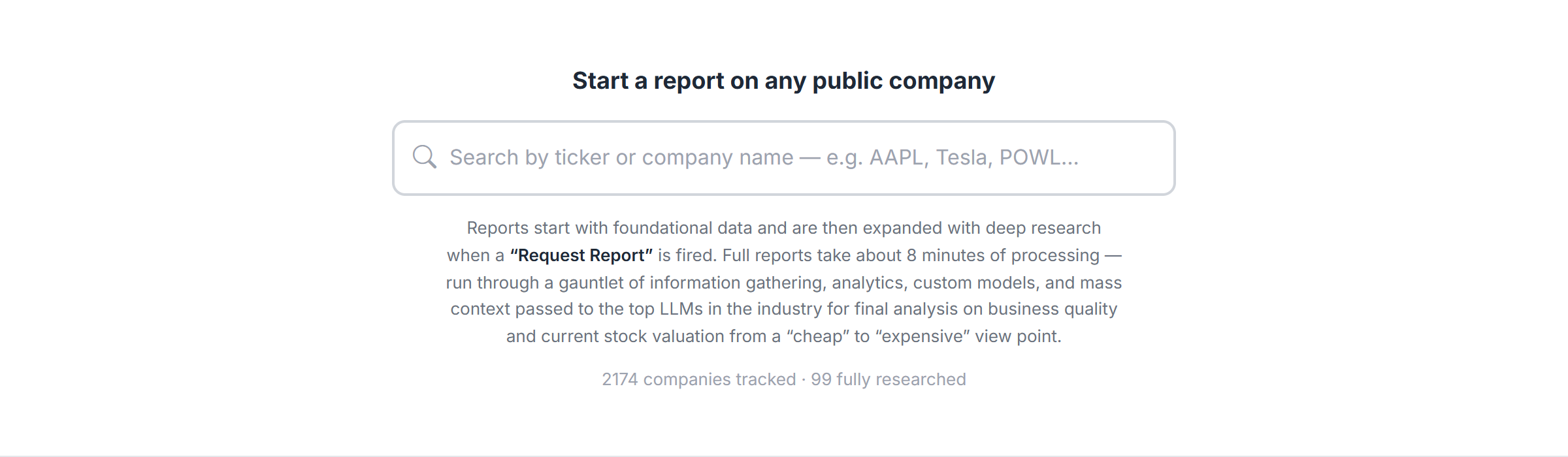
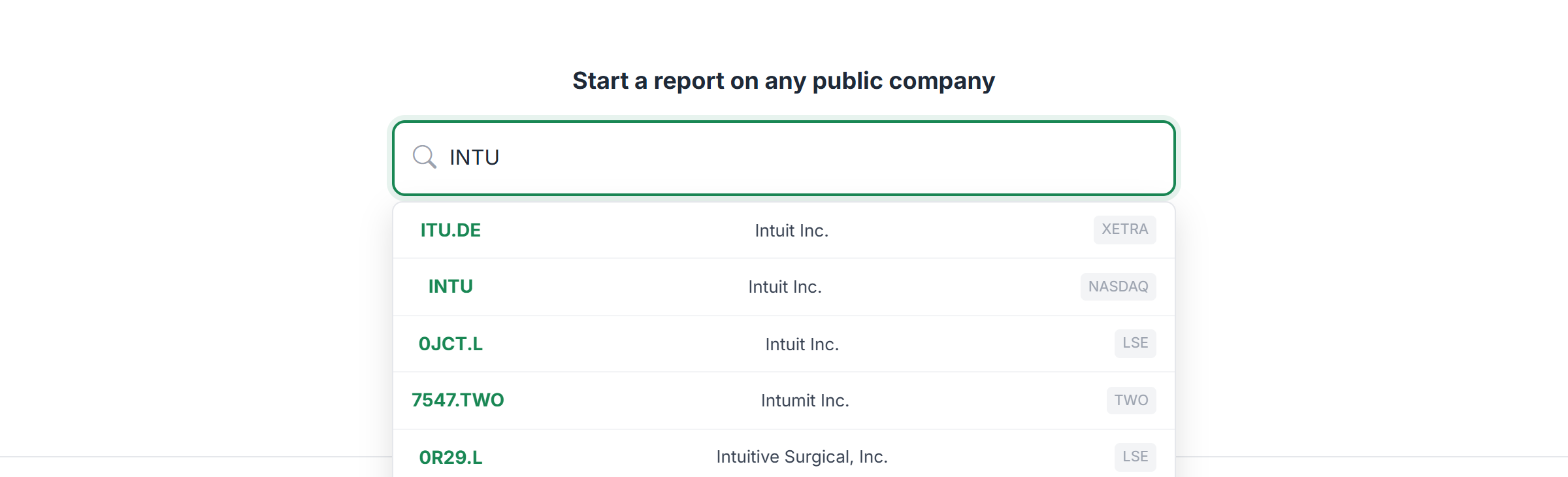
Start on the homepage and type a company name or ticker into the search bar. Matches appear as you type — click one to open its page. No account needed to browse.
search-bar.png
search-results.png
Open the company page
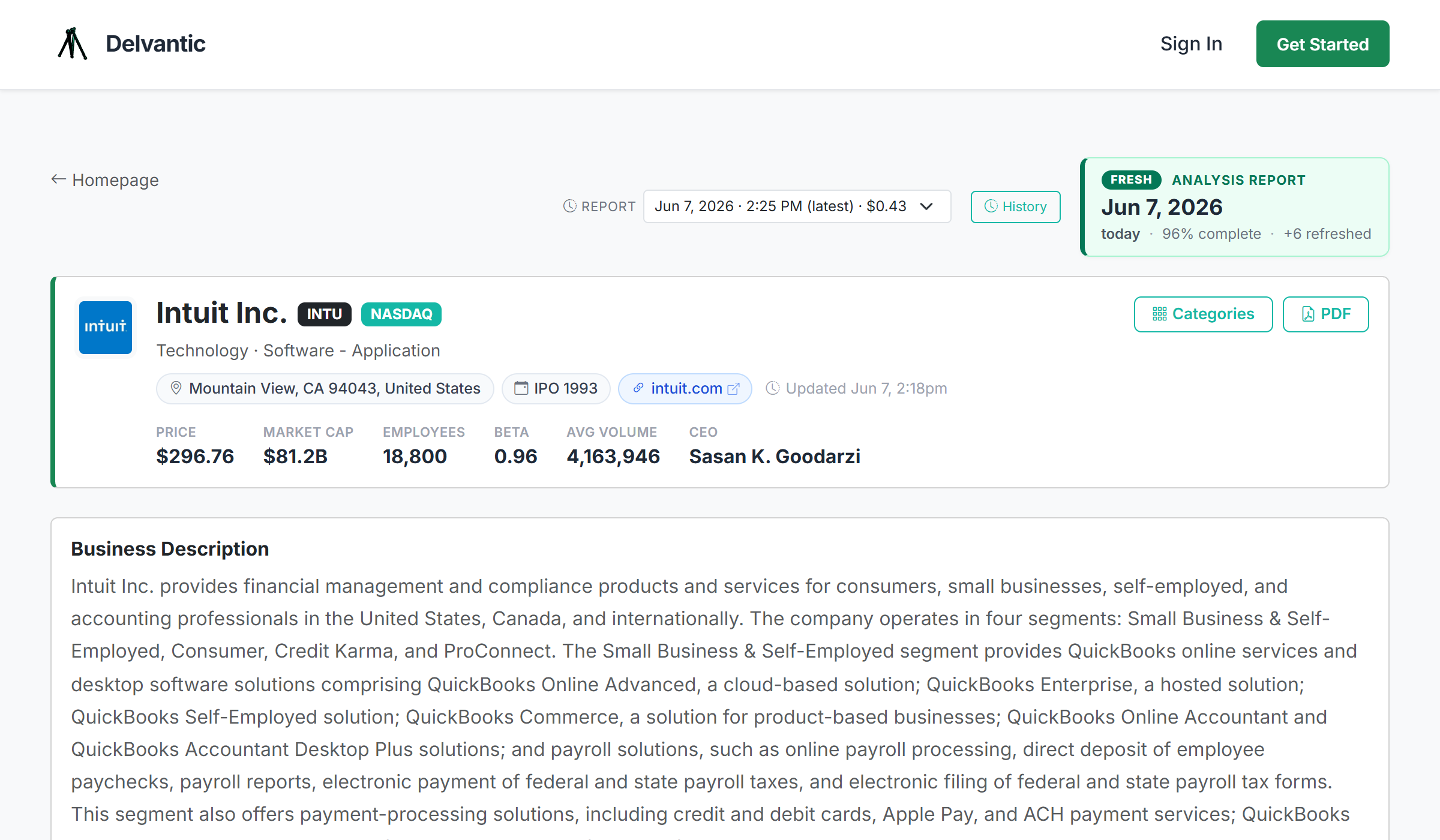
Every company has one page with everything in it: live price, financial statements, insider activity, key metrics, and — once it's been run — the full report and verdict. Scroll to explore.
company-top.png
Every number shows its math
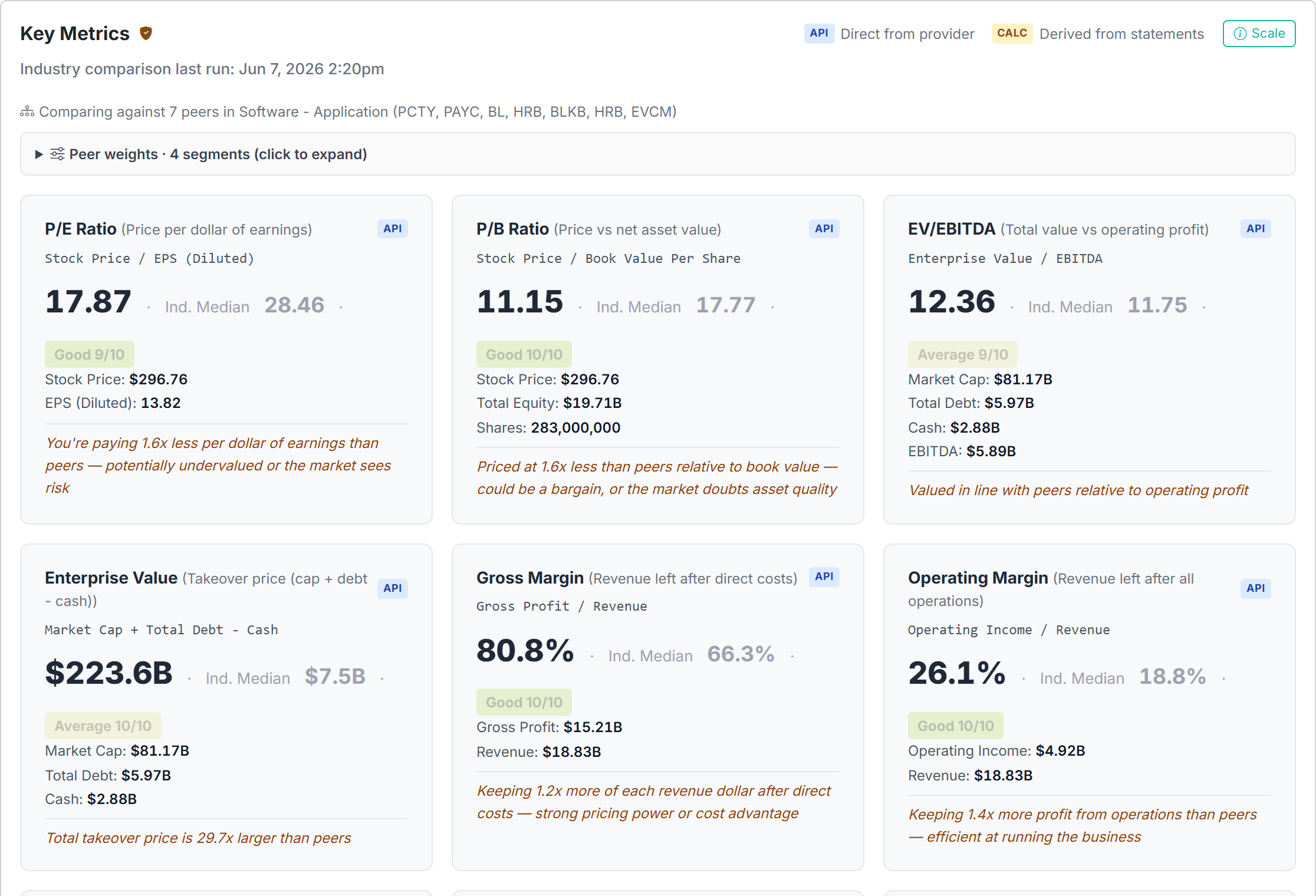
Before any model weighs in, the raw data is on the table. The Key Metrics section calculates 19+ metrics — P/E, ROE, margins, debt ratios, and more — each color-coded (green = healthy, red = watch out) with the exact formula, the inputs, and where the number came from. No black boxes.
key-metrics.png
Run the deep report
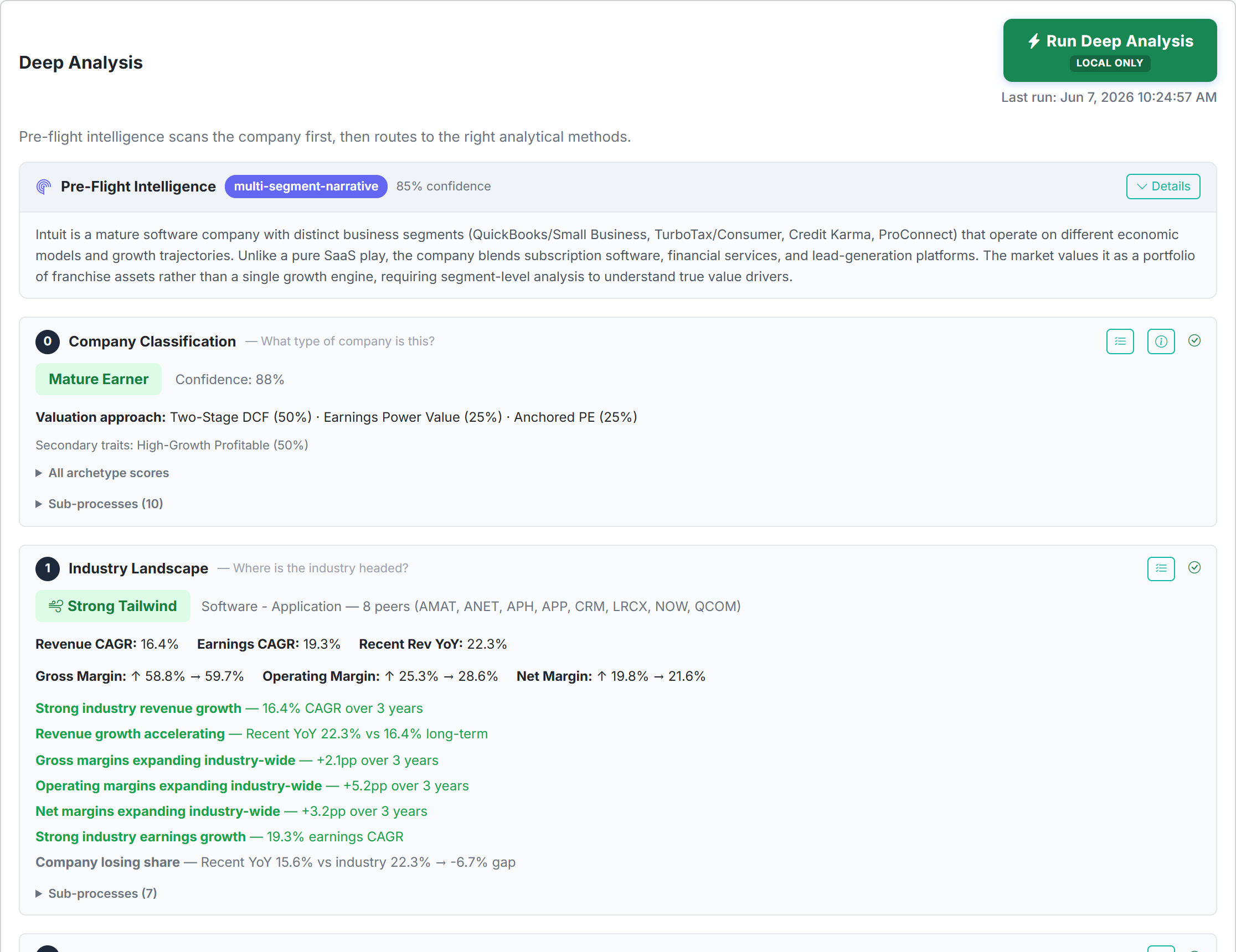
Hit Request Report and the company runs end-to-end: it classifies the business, picks the valuation methods that actually fit it, runs signal detection, and synthesizes a fair-value estimate with a confidence rating. A full report takes about 8 minutes — information gathering, analytics, custom models, and heavy context handed to the top LLMs in the industry for the final read.
report-pipeline.png
A freshness badge shows when the analysis last ran, and every past run is archived — so you can replay exactly what the page looked like when a call was made.
The verdict: Quality vs. Value
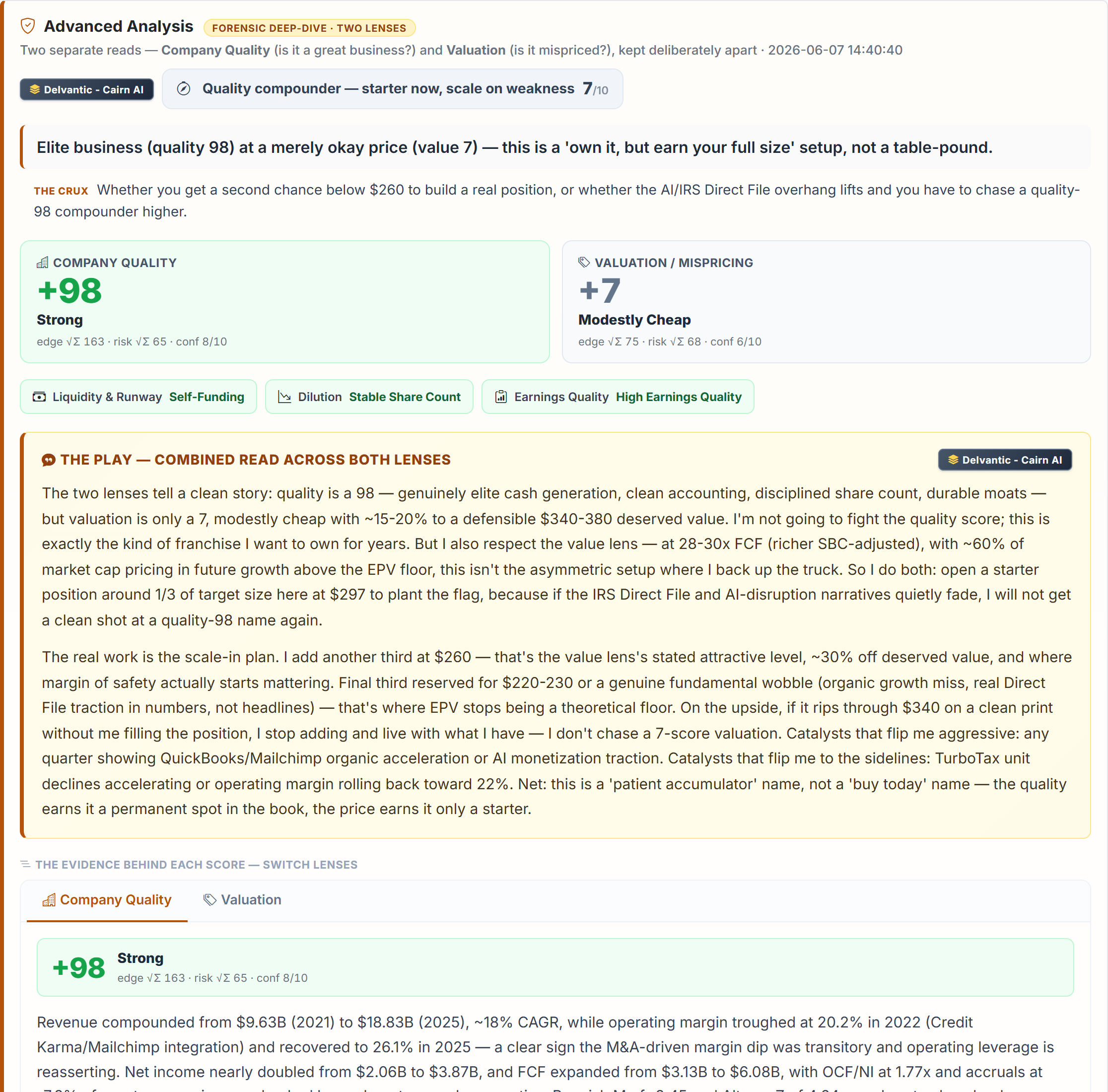
This is the whole point — the "final boss" read, and the reason the rest exists. Every company is scored through two independent lenses, kept deliberately apart because "great company" and "cheap stock" are different questions:
- Company Quality (price-agnostic) — is this a durable, well-run business? Built from forensic modules: liquidity & runway, dilution / stock-comp, earnings quality (Beneish M, Altman Z, accruals). The share price is deliberately withheld here — a high score means "great business," not "buy."
- Valuation (price-conditional) — is the stock mispriced versus what the business deserves? Fair value, margin of safety, and a concrete "buy below" price.
Both score from −100 to +100, and collapse into one tier:
two-lens-verdict.png
Every company that clears this lands on the homepage Timestamped Full Reports scoreboard — a live Quality / Value / Tier board of where everything stands right now. That scoreboard is the product: the running list of verdicts.
A free account also lets you save names to a watchlist and log positions in a portfolio — but the verdicts are the main event.
Getting Started
Three steps. Takes about 30 seconds.
Browse the Timestamped Full Reports scoreboard to see companies that already have a complete two-lens verdict.